INTERACTIVE E-LEARNING
APA Formatting & Citing
A quick-reference learning experience that transforms detailed APA formatting and citation guidance into navigable instruction, interactive practice, feedback, and assessment.

THE CHALLENGE
Make a detailed reference topic easier to use while writing.
APA formatting includes many rules learners may need at different moments in the writing process. The goal was to create a quick-reference experience that organized common elements of an APA paper while giving learners opportunities to practice citation decisions.
The course covers title pages, abstracts, introductions, literature reviews, in-text citations, methods, results, discussion, references, and assessment.
MY ROLE
From source content to interactive experience.
Working from instructional content, planning documents, and design requirements, I translated the material into an Adobe Captivate experience with learner-controlled navigation, visual interpretation, interactive practice, feedback, and assessment.
- Instructional design
- Storyboard and flow planning
- Captivate development
- Navigation design
- Interaction design
- Assessment development
- Feedback design
- Multimedia integration
DESIGN PROCESS
The experience was mapped before it was built.
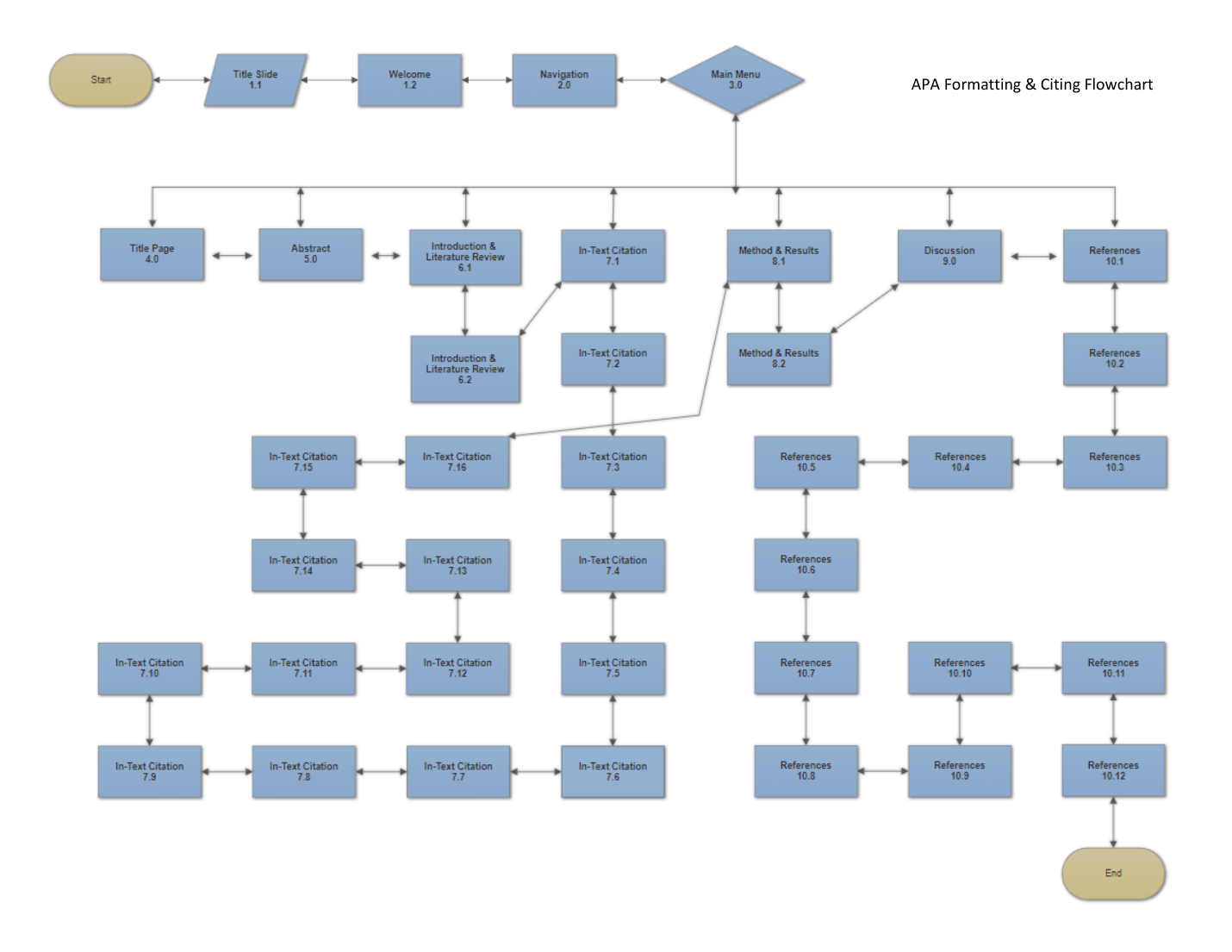
LEARNING EXPERIENCE
Learn. Practice. Apply.
- 01
Learn
Learners navigate APA paper components through a tab-based reference structure designed for quick access.
- 02
Practice
Correct-or-incorrect citation decisions provide immediate feedback and access to hints when additional support is needed.
- 03
Apply
The assessment combines multiple-choice practice with a drag-and-drop reference-ordering activity.
FINISHED EXPERIENCE
The actual Captivate course.
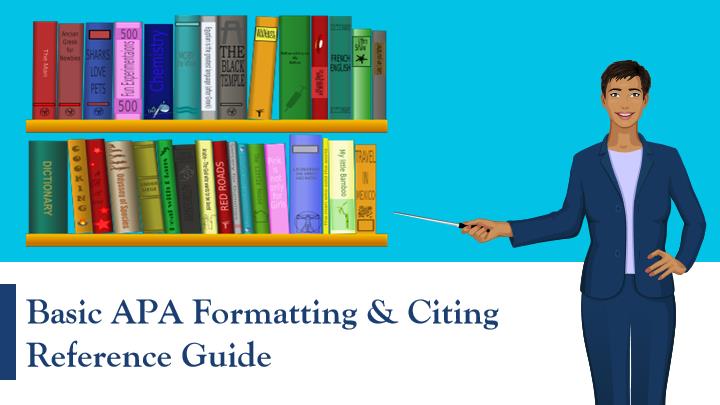
This screenshot comes directly from the published project. The original course design is preserved as evidence of the work rather than restyled to match the portfolio.
REFLECTION
Design is also interpretation.
This project demonstrates the ability to take structured source material and transform it into a usable learning experience. The design work is visible in how the content is organized, how learners move through it, where practice is introduced, and how feedback supports continued learning.
It also demonstrates development experience in Adobe Captivate alongside the other authoring tools represented throughout my portfolio.